10 Best Food Journal Apps in 2026 (Free and Paid)
We tested 10 food journal apps for calorie tracking, meal logging, and nutrition. See honest rankings with pricing, features, and pros/cons.

Chris Raroque

The best food journal apps in 2026 are Amy Food Journal (best for speed and simplicity), Cronometer (best for micronutrient tracking), and Lose It! (best free tier), based on our hands-on testing of 10 popular options across ease of use, database accuracy, features, and long-term sustainability. A food journal app is a mobile application that lets you log what you eat and automatically calculates calories, macronutrients, and sometimes micronutrients from a food database or AI recognition. Research published in the Journal of the Academy of Nutrition and Dietetics (Burke et al., 2012) found that consistent food self-monitoring is the single strongest behavioral predictor of weight loss, and a 2023 systematic review in Nutrients found that app-based food tracking was associated with 64% greater weight loss compared to non-tracking control groups. The right app makes the difference between a habit that lasts and one that dies in week two — the science of food journaling shows that reducing logging friction is the key to long-term adherence. Below, we rank every app with honest pros, cons, and pricing so you can choose the one that fits your goals.
The Best Food Journal Apps in 2026
Each app on this list serves a different goal. Some are designed for weight loss, others for athletic performance, and some for medical nutrition monitoring. This guide helps you find the app that matches your specific needs. If you are new to food journaling, our how to start a food journal guide covers the fundamentals before you choose an app.
How We Tested and Ranked These Apps
To ensure accuracy, we evaluated each app across these criteria:
- Ease of Use: How quickly can a new user log a meal? Does the interface feel intuitive?
- Database Quality: How comprehensive is the food database? Are calories accurate?
- Logging Speed: How long does it take to log a typical meal?
- Tracking Features: What metrics can you track (calories, macros, micros, etc.)?
- Free vs. Premium: What’s actually free, and what costs money?
- Cost: For paid apps, is the subscription justified?
- Community: Are there features for social support or accountability?
- Reliability: Crashes, bugs, sync issues?
We logged meals for 2+ weeks in each app, tested the barcode scanner, photo recognition, and database search features, and reviewed updated pricing as of March 2026.
Quick Comparison Table
| App | Best For | Free? | Logging Speed | DB Size | Platforms |
|---|---|---|---|---|---|
| Amy Food Journal | Simplicity | Free trial | 5 sec | 500K+ | iOS |
| Cronometer | Micronutrients | Limited | 20 sec | 680K+ | iOS, Android, Web |
| Lose It! | Free tier | Yes (limited) | 15 sec | 500K+ | iOS, Android, Web |
| MyFitnessPal | Database size | Yes (limited) | 20 sec | 14M+ | iOS, Android, Web |
| MacroFactor | Athletes | No | 25 sec | 500K+ | iOS, Android, Web |
| FatSecret | Community | Yes | 20 sec | 380K+ | iOS, Android, Web |
| See How You Eat | Photo-only | Paid | 8 sec | N/A | iOS, Android |
| Ate | Mindful eating | Paid | 15 sec | 500K+ | iOS, Android |
| Fooducate | Food quality | Yes (limited) | 30 sec | 500K+ | iOS, Android |
| MealLogger | Dietitian sharing | Paid | 20 sec | 500K+ | iOS, Android, Web |
The 10 Best Food Journal Apps
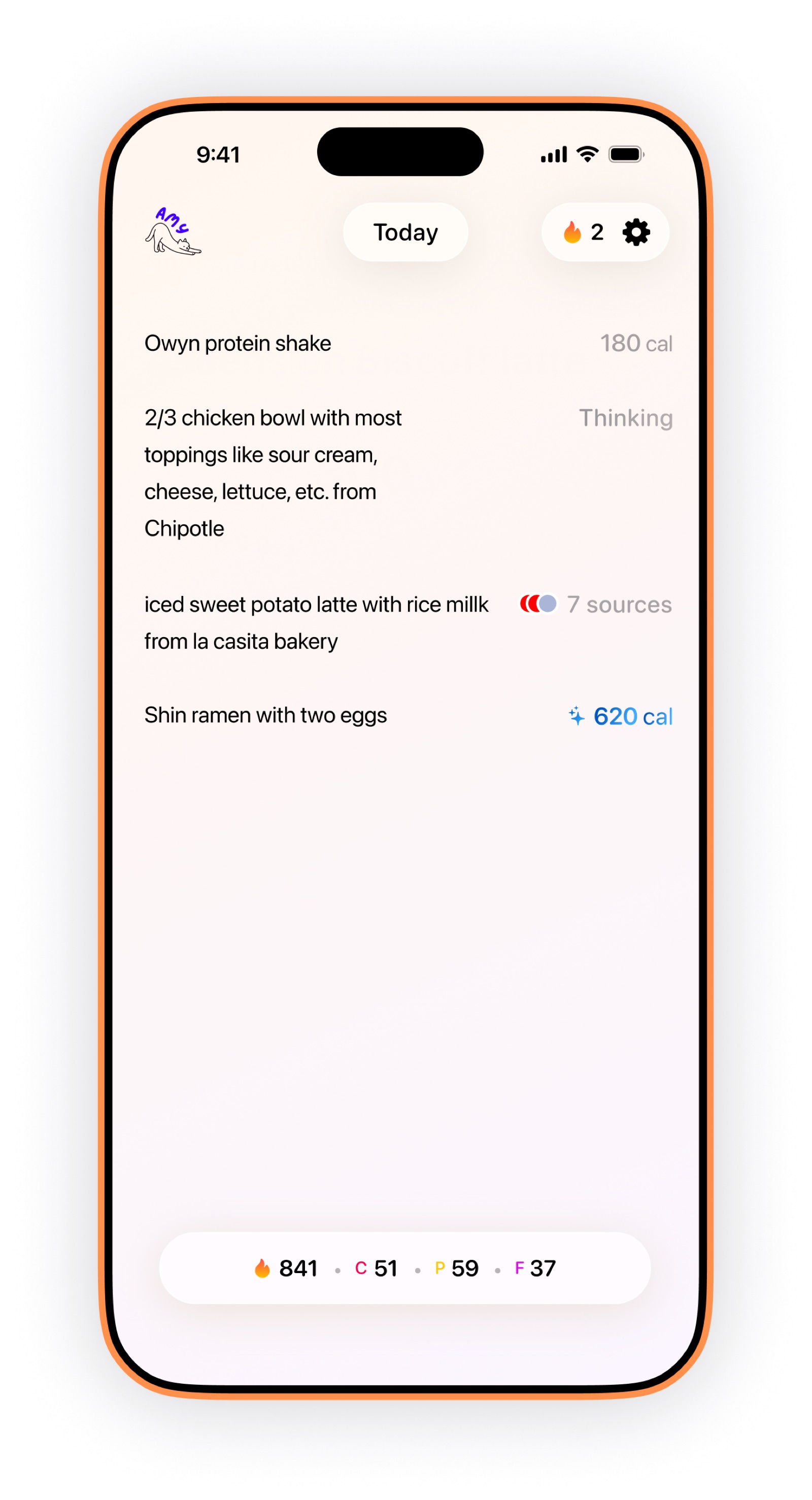
Amy Food Journal — Simple daily calorie tracking
1. Amy Food Journal — Best Overall for Simple Tracking
Pricing: $9.99/month or $99.99/year (free 3-day trial)
Best for: Anyone who wants to track calories without complexity
Amy Food Journal strips away the noise. No gamification, no social features, no upsells hiding behind paywalls. Just a clean, minimal app that lets you log food and see your daily totals. The subscription ($9.99/month or $99.99/year after a free 3-day trial) includes every feature from day one.
How it works:
- Snap a photo of your meal or search the food database
- AI-powered food recognition estimates calories automatically
- Barcode scanning for packaged foods
- Daily and weekly calorie totals at a glance
Why it stands out:
- Speed: Logging takes 5–10 seconds on average. Photo-based entry is faster than typing.
- Design: Minimal interface means no learning curve. New users start tracking immediately.
- No feature gates: All features are included in the subscription. No premium tiers hiding basic functionality.
- Accuracy: The database is reliable, and the AI improves with use.
Pros:
- Fastest logging method among all apps tested
- Photo-based entry feels natural and intuitive
- No ads, no premium pushes
- Works offline
- Lightweight app (small file size)
Cons:
- Doesn’t track micronutrients (only calories and basic macros)
- No built-in recipe calculator
- No community or social features
- No Apple Watch or smartwatch integration
Pricing structure: $9.99/month or $99.99/year after a free 3-day trial. All features included — no ads, no upsells.
Bottom line: If your goal is simple, fast calorie tracking without distractions, Amy Food Journal is the best choice. The simplicity means you’re actually likely to use it consistently. See how Amy compares head-to-head in our Amy vs. MyFitnessPal and Amy vs. Cronometer reviews.
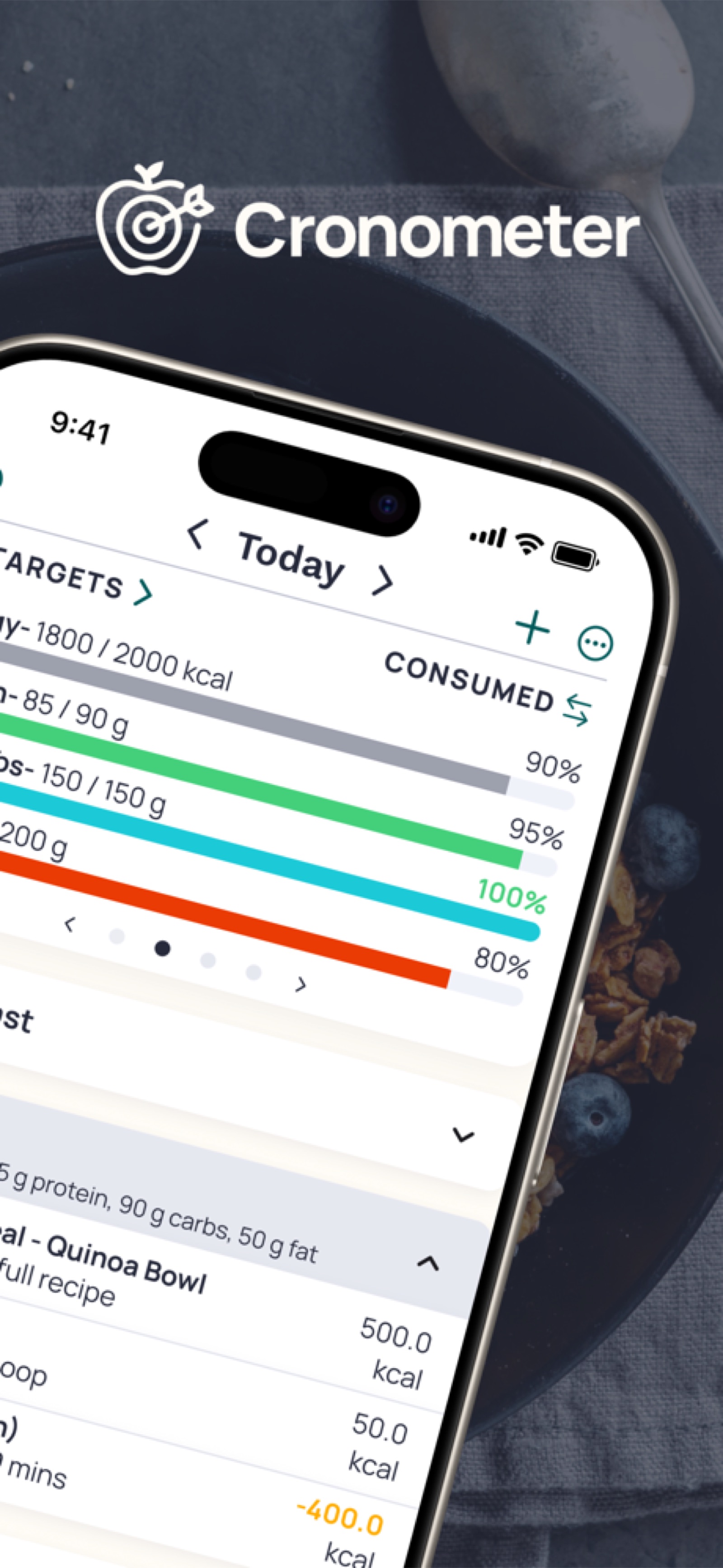
Cronometer — Micronutrient tracking dashboard
2. Cronometer — Best for Micronutrient Tracking
Pricing: Free tier + Premium ($3.99/month)
Best for: People monitoring vitamins, minerals, and detailed nutrition
Cronometer is the gold standard for micronutrient tracking. If you care about iron, vitamin D, electrolytes, amino acids, and other micronutrients — not just calories — Cronometer gives you the data.
How it works:
- Search the massive food database or scan barcodes
- View complete nutritional breakdown including 80+ micronutrients
- Set and track specific nutrient goals
- Generate nutrition reports
Why it stands out:
- Database: 680,000+ foods with detailed micronutrient data
- Accuracy: Data sourced directly from USDA, not crowdsourced
- Customization: Set goals for any nutrient you want to track
- Medical use: Hospitals and registered dietitians recommend it
Pros:
- Best-in-class micronutrient tracking
- Dietary filtering (vegan, keto, low-FODMAP, etc.)
- Excellent for managing health conditions
- Web version is fully featured
- Free tier is actually useful
Cons:
- Slower logging than simpler apps (more data to display)
- Premium features are somewhat limited
- Steeper learning curve for new users
- Micronutrient focus may overwhelm those wanting simple calorie tracking
Premium features: Insights dashboard, recipe nutrition, biometrics tracking
Bottom line: If you’re monitoring your diet for health reasons, working with a dietitian, or care deeply about nutrient balance, Cronometer is worth the upgrade.
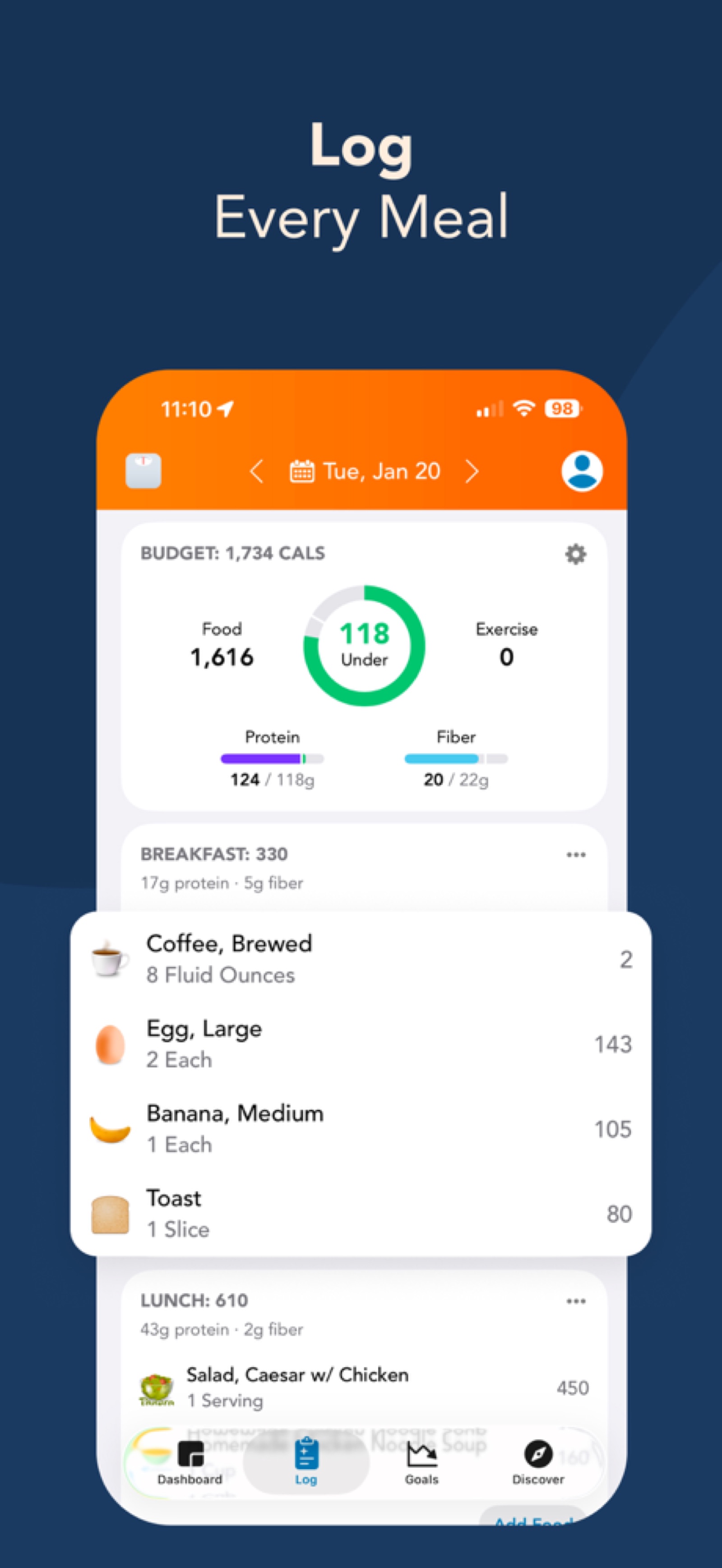
Lose It! — Daily calorie budget and meal log
3. Lose It! — Best Free Option
Pricing: Free tier + Premium ($9.99/month)
Best for: Budget-conscious weight loss trackers
Lose It! proves that a functional free tier can actually exist. Unlike competitors that lock core features behind paywalls, Lose It! offers real calorie tracking for free.
How it works:
- Search 500,000+ food database
- Log meals and see daily totals
- Set a weight loss goal
- Track weight over time
Why it stands out:
- Legitimate free tier: Core features aren’t crippled. You can genuinely lose weight using only the free version.
- Barcode scanner: Works in the free tier
- Food recognition: The free tier recognizes packaged foods quickly
- Community: Large user base means accountability and tips
Pros:
- Free tier is genuinely usable
- Fast barcode scanning
- Community features in free tier
- Large food database
- Available on all platforms
Cons:
- Premium nags you on some screens
- Macros and micronutrients locked behind premium
- No photo-based logging in free tier
- Ads present in free version
Premium features: Nutrition tracking, recipe builder, advanced analytics
Bottom line: If you’re serious about weight loss but want to avoid subscriptions, Lose It!‘s free tier is the best free option available. You don’t need premium to see results. For more no-cost options, see our free calorie tracking apps with no subscription guide.
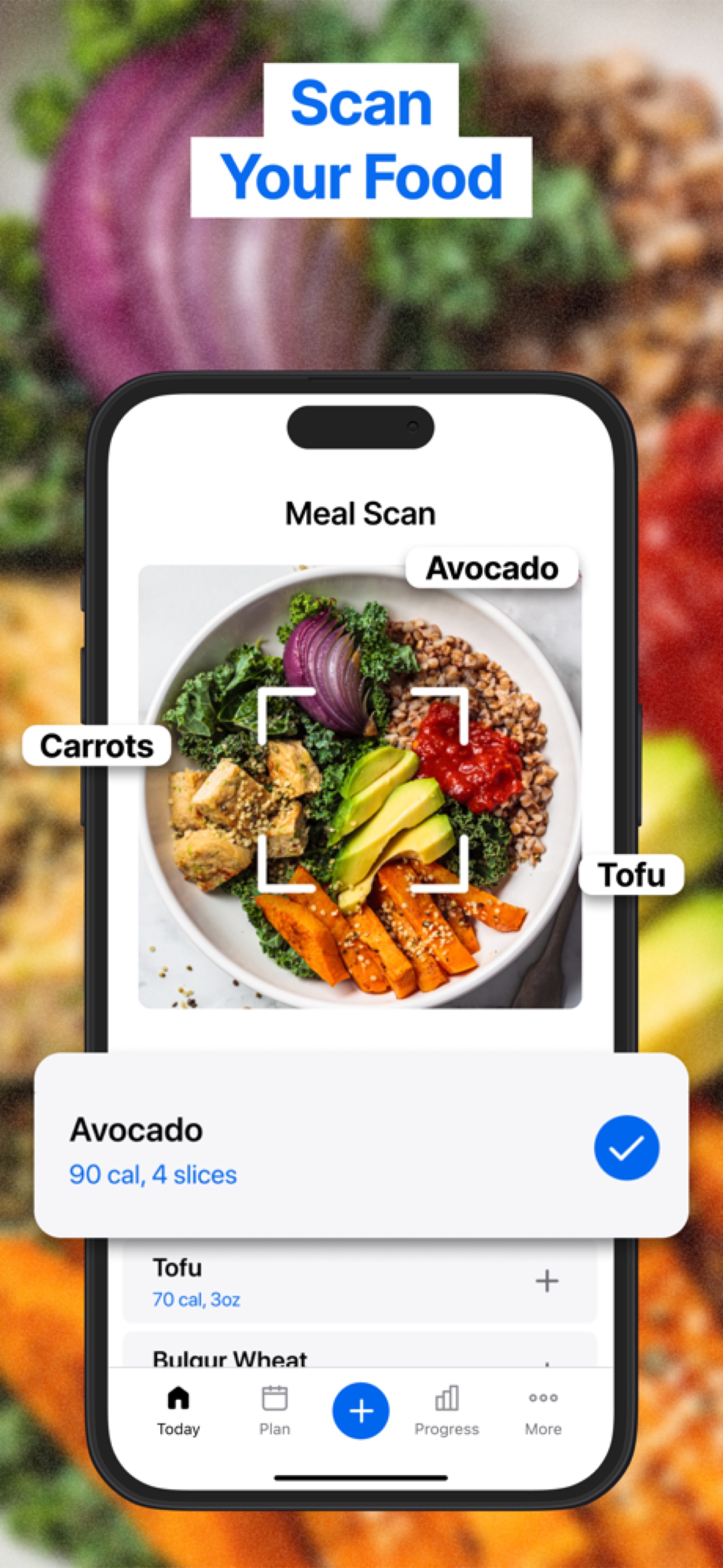
MyFitnessPal — Food scanning and database search
4. MyFitnessPal — Largest Food Database
Pricing: Free tier + Premium ($12.99/month)
Best for: Users who want maximum database coverage
MyFitnessPal has the largest crowdsourced food database in the world — 14 million foods. If a food exists, MyFitnessPal probably has it.
How it works:
- Search the massive database or scan barcodes
- Log meals and track calories, macros
- Sync with fitness trackers (Apple Health, Fitbit, Strava)
- Community features and challenges
Why it stands out:
- Database size: 14 million entries (largest available)
- Ecosystem integration: Works with more fitness trackers than competitors
- Established: Been around for 15+ years, regularly updated
- Community: Large user base for motivation and support
Pros:
- Enormous food database
- Fast barcode scanning
- Great ecosystem integration
- Strong community
- Lots of tracking options
Cons:
- Crowdsourced data means accuracy varies (not all 14M foods are reliable)
- Slower than simpler apps to navigate
- Free tier is quite limited
- Many features behind paywall
- Requires account/login for core features
- Can feel bloated compared to focused alternatives
Premium features: Unlimited tracking, macros, custom goals, advanced analytics
Bottom line: MyFitnessPal is the safe choice for people who want maximum feature breadth. But it’s bloated compared to newer, simpler alternatives. For a detailed three-way comparison, see our Lose It vs. MyFitnessPal vs. Amy review.
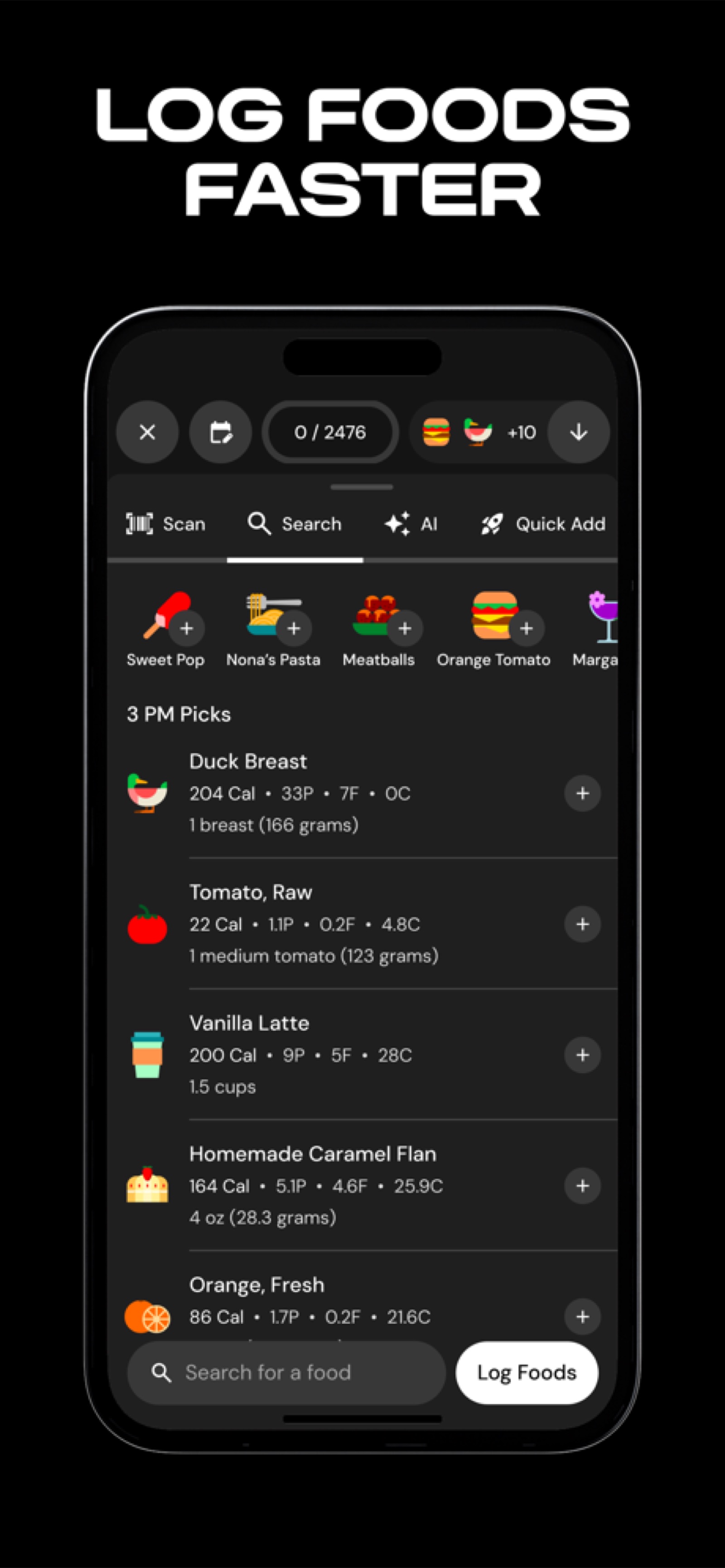
MacroFactor — Intelligent macro tracking
5. MacroFactor — Best for Athletes
Pricing: Premium only ($9.99/month)
Best for: Athletes and people optimizing body composition
MacroFactor combines calorie tracking with intelligent macro guidance. Instead of static calorie targets, MacroFactor adjusts your macros based on weight trends and goals.
How it works:
- Log meals and weight daily
- App learns your habits and adjusts macro targets based on results
- View trends and recommendations
- Track progress toward muscle gain or fat loss
Why it stands out:
- Smart adaptation: The app adjusts your targets based on real results, not theory
- Macro focus: For athletes, macros matter more than raw calories
- Minimal data entry: Just log food and weight; the algorithm handles the rest
- Science-based: Research-backed approach to body composition
Pros:
- Genuinely intelligent macro adjustments
- Clean interface focused on what matters
- Great for muscle gain and fat loss together
- Barcode scanner works well
- Cross-platform availability
Cons:
- Premium-only (no free tier)
- Requires daily weigh-ins for best results
- Smaller database than MyFitnessPal (but reliable)
- Learning curve on macro adjustments
- May feel like overkill for casual trackers
Best for: Serious athletes, body recomposition, performance optimization
Bottom line: If you’re an athlete or optimizing body composition seriously, MacroFactor’s intelligent system is worth the monthly fee. Casual users won’t get the value. To learn how to set macro targets regardless of which app you use, see our how to track macros guide.
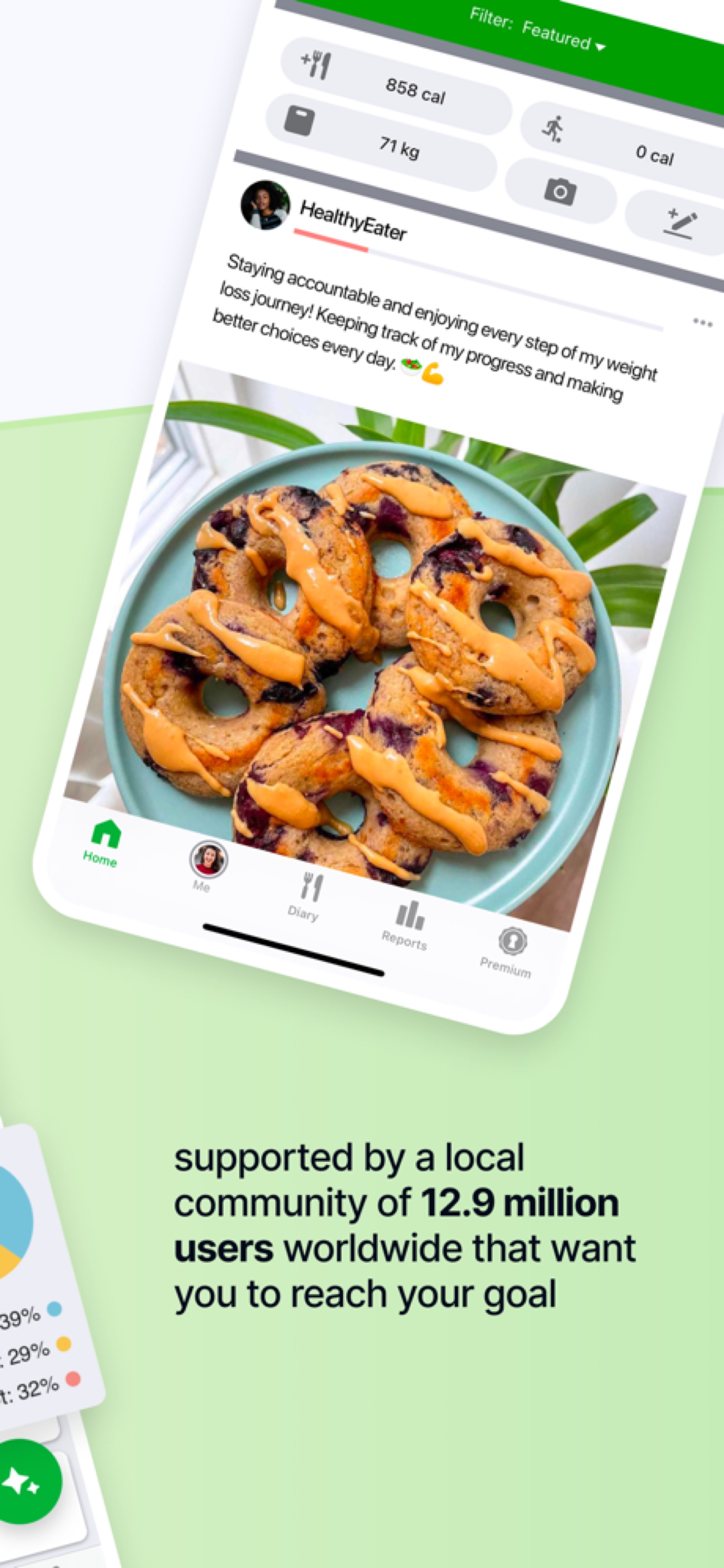
FatSecret — Community feed and social features
6. FatSecret — Best Community
Pricing: Free tier + Premium ($3.99/month)
Best for: People who want support and accountability
FatSecret is the social network of calorie tracking. Community features are built in from the start, creating a supportive ecosystem for weight loss.
How it works:
- Log meals and weight
- Share meals and recipes with the community
- Join community groups and challenges
- Get support from other users
Why it stands out:
- Community focus: Discussion boards, friend features, challenges
- Recipe sharing: See how others tracked the same meal
- Accountability: Public food logging creates natural accountability
- Emotional support: Real people cheering you on
Pros:
- Strong, helpful community
- Excellent for motivation
- Recipe database is community-contributed (real-world meals)
- Free tier is genuinely useful
- No ads even in free tier
- Cross-platform available
Cons:
- Community can feel overwhelming (lots of posts)
- Database isn’t as comprehensive as MyFitnessPal
- Interface feels older than modern apps
- Premium features are limited
- Some database entries are less reliable (user-submitted)
Premium features: Ad-free experience, advanced analytics, community features unlocked
Bottom line: If you struggle with motivation or accountability, FatSecret’s community makes the difference. The social component helps you stick with tracking.
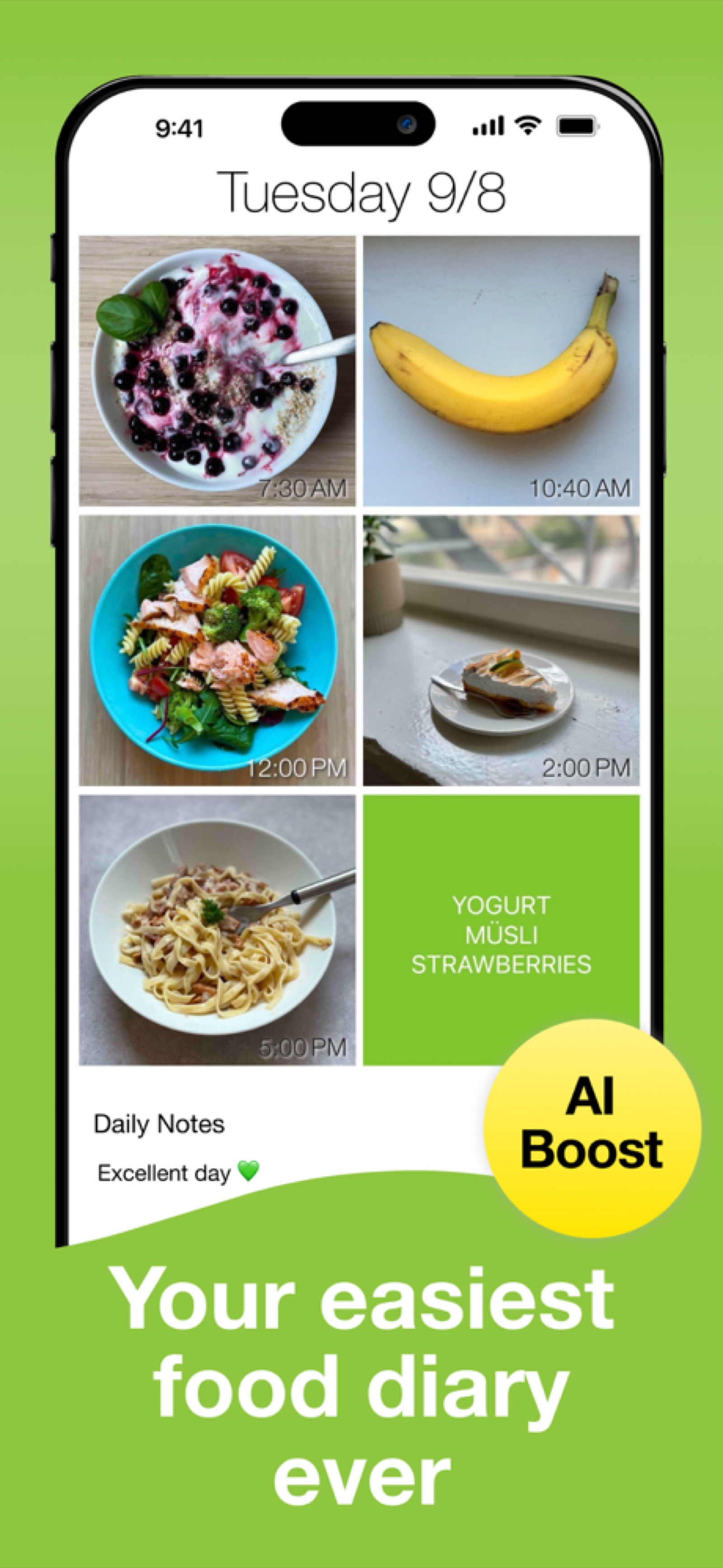
See How You Eat — Photo-based food diary
7. See How You Eat — Best Photo-Only Journal
Pricing: Premium only ($4.99/month)
Best for: Visual, photo-based tracking without logging details
See How You Eat takes a minimalist approach: snap photos of everything you eat. The app catalogs your meals visually without requiring manual logging.
How it works:
- Snap photos of meals before eating
- App catalogs photos in a timeline
- Optional: AI estimates calories from photos
- Review what you’ve eaten visually
Why it stands out:
- Simplicity: No searching, typing, or scanning. Just photos.
- Mindfulness: Seeing everything you eat creates awareness
- Speed: Fastest possible entry method
- Visual journal: Your food diary is literally your food
Pros:
- Fastest entry method (just tap camera)
- Creates awareness without judgment
- No database needed
- Mindfulness benefits
- Minimal data entry
Cons:
- Premium-only (no free tier)
- Calorie estimates are AI-based (less accurate)
- No macro tracking
- Doesn’t replace traditional calorie counting for serious goals
- Limited integration with other tools
- AI calorie estimates can be hit-or-miss
Best for: Mindful eating, building awareness, food reflection
Bottom line: See How You Eat is unique. It’s less about hitting calorie targets and more about awareness and reflection. Good complement to traditional tracking, not a replacement.
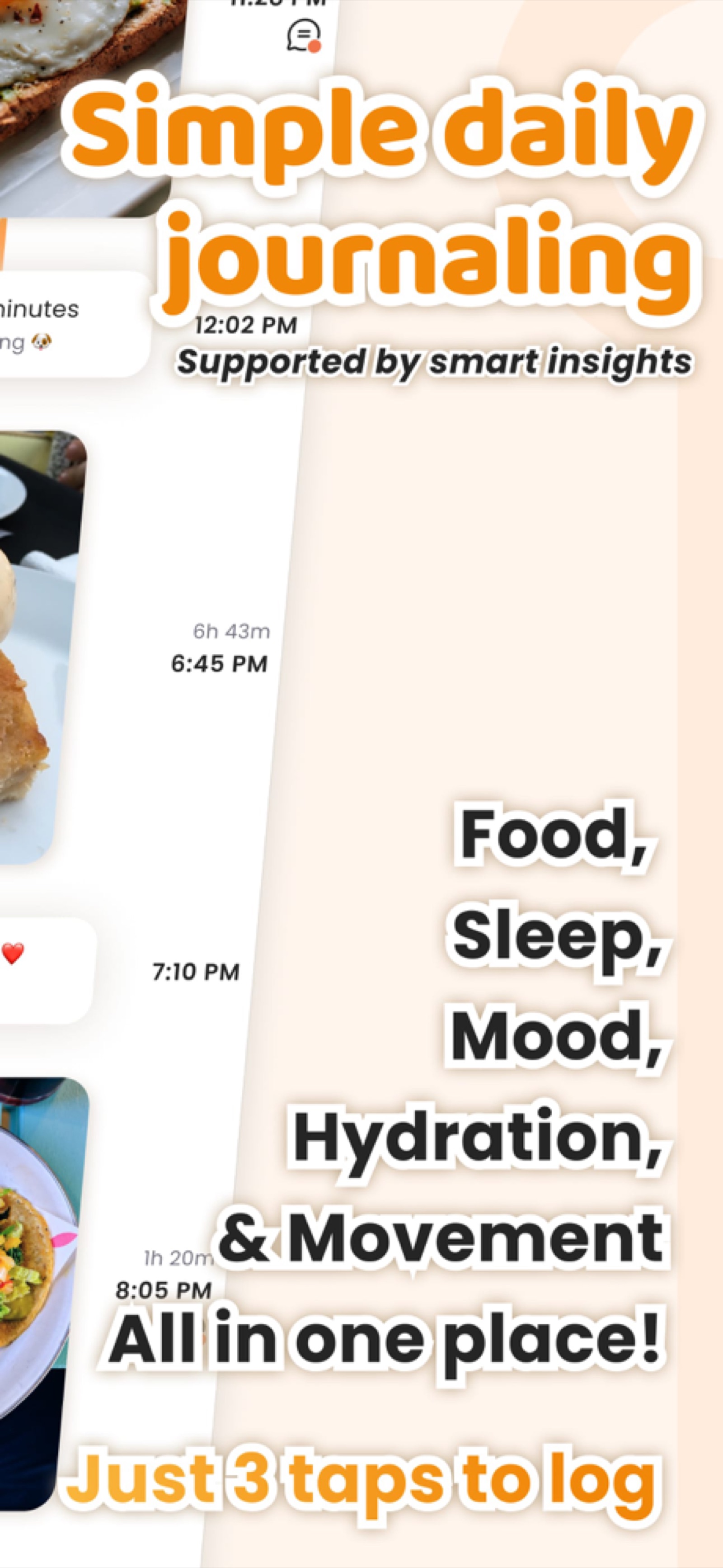
Ate — Mindful eating journal
8. Ate — Best for Mindful Eating
Pricing: Premium only ($4.99/month)
Best for: People practicing intuitive eating and food awareness
Ate combines food logging with mindfulness. Track not just what you eat, but how you feel before and after meals.
How it works:
- Photo-based or database food entry
- Rate hunger and fullness before and after eating
- Note mood and energy level
- Review patterns in your eating
Why it stands out:
- Mindfulness integration: Before-and-after mood/hunger tracking
- Non-judgmental: Focus on awareness, not restriction
- Intuitive eating: Designed for people practicing intuitive eating, not calorie restriction
- Patterns: Identify emotional eating or energy dips
Pros:
- Unique mindfulness-first approach
- Beautiful, modern interface
- Great for emotional eaters
- Non-judgmental philosophy
- Good for building awareness
Cons:
- Premium-only
- Not ideal for serious calorie counting
- Limited calorie tracking features
- Smaller community
- May feel like overkill for simple weight loss
Philosophy: Health through awareness, not restriction
Bottom line: If calorie counting makes you anxious, or you’re practicing intuitive eating, Ate’s mindfulness approach is refreshing. Avoid if you need strict calorie targets. For alternatives to calorie-focused approaches, see our Noom alternatives guide.
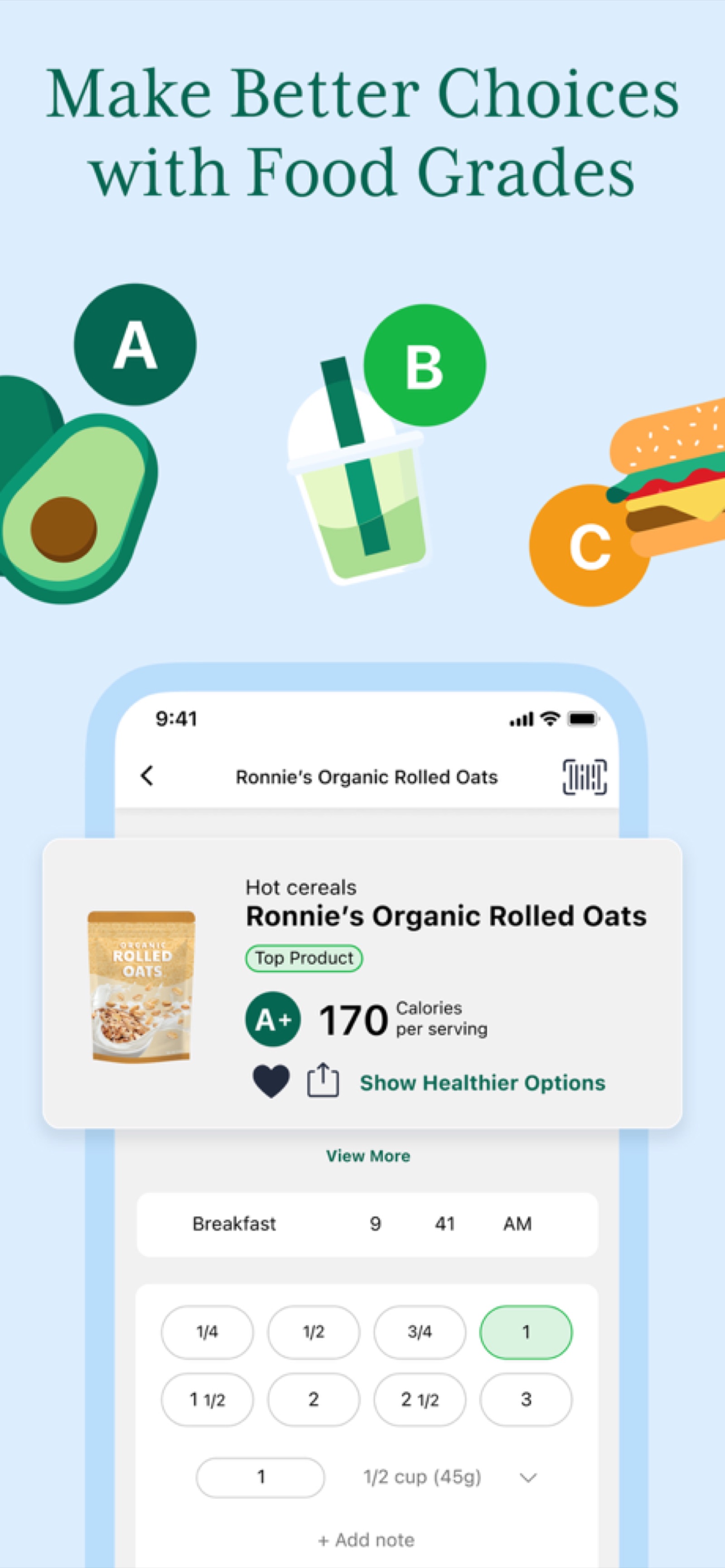
Fooducate — Food quality grading system
9. Fooducate — Best for Food Quality
Pricing: Free tier + Premium ($2.99/month)
Best for: People who care about food quality, not just calories
Fooducate assigns letter grades to foods (A–F) based on nutritional quality. It’s about more than calories; it’s about eating foods that nourish your body.
How it works:
- Search foods and see their grade (A–F)
- Grade considers ingredients, processing, additives
- Track calories and get quality feedback
- Swap lower-graded foods for healthier alternatives
Why it stands out:
- Food quality focus: Calories don’t tell the whole story
- Ingredient transparency: See what’s actually in your food
- Smart swaps: App suggests healthier alternatives
- Educational: Learn why foods are graded
Pros:
- Unique focus on food quality
- Excellent for building healthy eating habits
- Grades are based on real nutritional science
- Free tier is useful
- App suggests healthier swaps
Cons:
- Free tier is limited
- Grading system is complex (may confuse new users)
- Smaller database than MyFitnessPal
- Slower to navigate than simpler apps
- May trigger perfectionism around food choices
Premium features: Full nutrient tracking, advanced filtering, personalized recommendations
Bottom line: If you want to eat healthier, not just thinner, Fooducate’s quality-first approach is valuable. Perfect for people transitioning from calorie counting to intuitive eating.
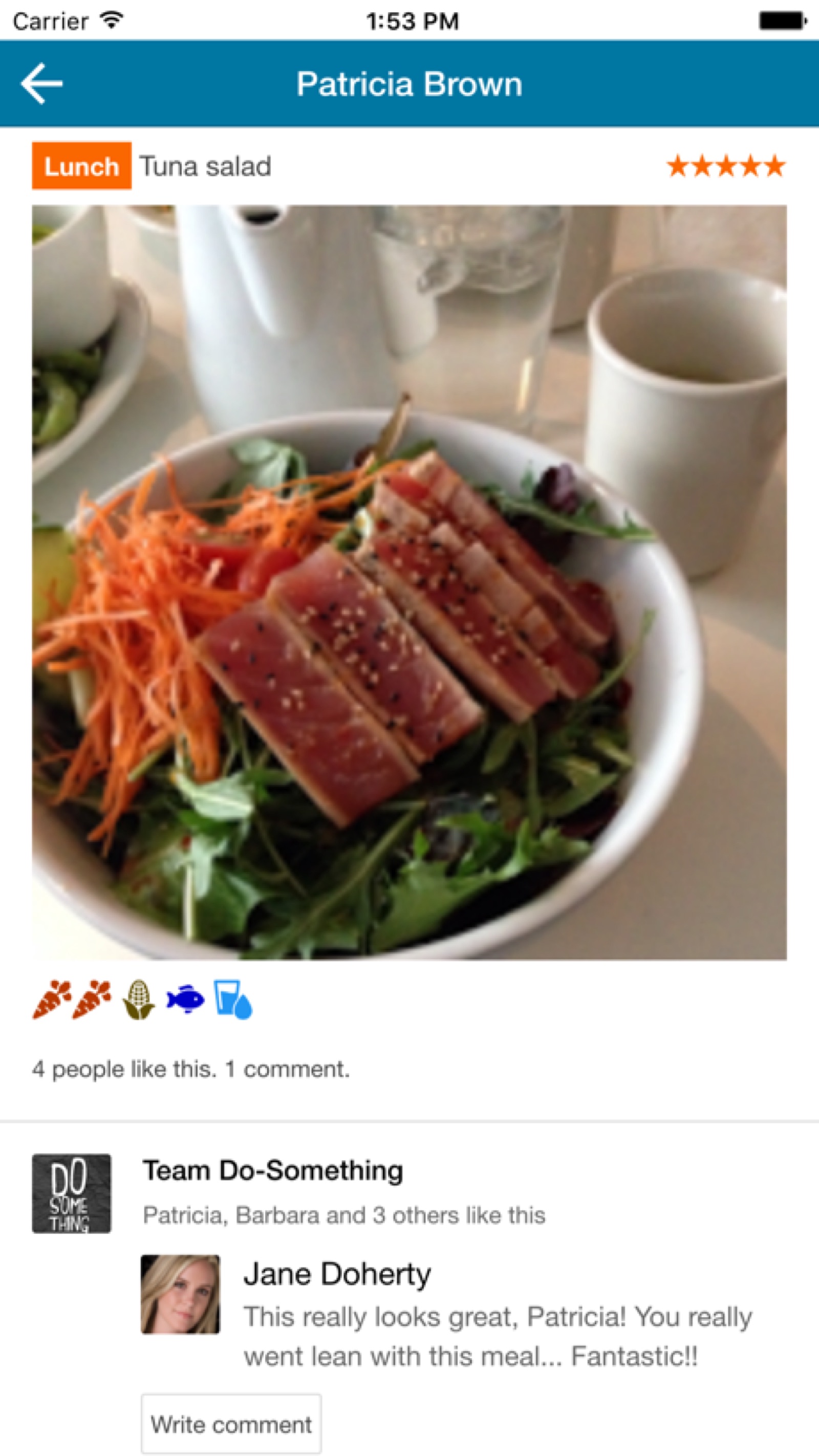
MealLogger — Dietitian-shared meal journal
10. MealLogger — Best for Dietitian Sharing
Pricing: Premium ($9.99/month for client, dietitian access varies)
Best for: People working with registered dietitians or nutrition coaches
MealLogger is designed for the client-professional relationship. Track your food, and your dietitian can review and provide feedback.
How it works:
- Log meals as normal
- Invite your dietitian to view your food journal
- Receive personalized feedback from your professional
- Adjust based on guidance
Why it stands out:
- Professional integration: Built for registered dietitian collaboration
- Medical focus: Designed for therapeutic nutrition, not just weight loss
- Two-way communication: Chat with your dietitian within the app
- Accountability: Professional oversight increases compliance
Pros:
- Best for people in professional nutrition programs
- Secure, HIPAA-compliant data sharing
- Professional-grade features
- Designed specifically for therapeutic nutrition
- Reduces miscommunication between client and professional
Cons:
- Premium-only
- Not ideal if you don’t have a dietitian
- More complex interface
- Smaller user base
- Requires both client and professional to use the app
Best for: Medical nutrition therapy, working with registered dietitians
Bottom line: If you’re seeing a registered dietitian, MealLogger streamlines communication and accountability. Essential if your nutrition is part of medical treatment.
How to Choose the Right Food Journal App
The best food journal app is the one you will actually use every day. Research from the 2019 Obesity study found that the single biggest predictor of tracking success was logging speed — participants who spent less time per entry maintained the habit 2.8 times longer. Before choosing an app, consider your primary goal: simple calorie counting, detailed macro tracking, or general food awareness through journaling. If you are deciding between specific apps, our head-to-head comparisons may help: Lose It vs. MyFitnessPal vs. Amy, Amy vs. MyFitnessPal, and Amy vs. Cronometer.
If you are exploring AI-powered options specifically, our AI calorie counter apps guide dives deeper into how artificial intelligence is changing food tracking.
Best Food Journal App by Category
Quick picks for specific goals:
| Goal | Best App | Why |
|---|---|---|
| Simple calorie tracking | Amy Food Journal | Fastest, simplest, all features included |
| Weight loss on a budget | Lose It! | Free tier actually works |
| Medical nutrition | Cronometer | Micronutrient precision |
| Athlete/body recomposition | MacroFactor | Intelligent macro adjustments |
| Community support | FatSecret | Best community features |
| Mindful eating | Ate | Awareness over restriction |
| Food quality | Fooducate | Grades on nutritional value |
| Working with dietitian | MealLogger | Professional integration |
| Biggest database | MyFitnessPal | 14M foods (but bloated) |
| Photo-only tracking | See How You Eat | Simplest possible entry |
Frequently Asked Questions
Is there a truly free food journal app with no paywalls?
FatSecret is genuinely free with no core features locked behind paywalls. Lose It! and Cronometer have free tiers, but some features require premium. Amy Food Journal costs $9.99/month or $99.99/year after a free 3-day trial — it is not free, but all features are included in the subscription with no ads or upsells. For a dedicated breakdown, see our guide to free calorie tracking apps with no subscription.
Which food journal app has the most accurate database?
Cronometer has the most reliable data because it sources from the USDA. MyFitnessPal has the largest database but lower average accuracy due to user-submitted entries. Amy Food Journal uses AI to parse natural-language food descriptions, which is accurate for common meals and recipes.
Can I switch between food journal apps if I change my mind?
Most apps let you export your data (CSV format), but full history transfers are rare. It’s easier to start fresh than to migrate. Choose carefully the first time.
Which food journal app works best offline?
Amy Food Journal and MyFitnessPal work offline for logging, but you’ll need internet to search the full database. Cronometer requires internet for most features.
Do any food journal apps integrate with fitness trackers?
MyFitnessPal integrates with Apple Health, Fitbit, Strava, and others. Cronometer integrates with some trackers. Amy Food Journal syncs with Apple Health for a unified nutrition and activity picture. For more on how wearable calorie estimates perform, see our article on Apple Watch calorie tracking accuracy.
What is the best app for someone with an eating disorder?
This isn’t a calorie counting question — it’s a health question. Work with a therapist or registered dietitian who can recommend tools appropriate to your recovery.
Can I share my food journal with friends?
FatSecret is best for community sharing. MyFitnessPal has friend features. Most others don’t prioritize social sharing.
Which food journal app has the best customer support?
Cronometer and MyFitnessPal have responsive support. Amy Food Journal is growing, with email support available. See How You Eat and Ate have smaller teams but responsive support.
Is barcode scanning accurate across all food journal apps?
Mostly yes, but accuracy varies. MyFitnessPal and Lose It! have the best scanning accuracy because they recognize brand-specific barcodes. Amy Food Journal and Cronometer also scan well.
How often are food databases updated?
MyFitnessPal updates constantly (user-submitted). Cronometer updates monthly from USDA data. Amy Food Journal updates AI models quarterly. Most others update weekly or as needed.
Can I track water intake in these apps?
Most apps include basic water logging, but it’s not a primary focus. FatSecret and MyFitnessPal emphasize hydration tracking more than others.
What if a food journal app shuts down?
Established apps like MyFitnessPal and Cronometer are unlikely to shut down. Smaller apps are riskier. Always keep backups of your data.
Which food journal app has the best recipe builder?
Lose It! (premium) and Cronometer have good recipe builders. Amy Food Journal works well with custom recipes — type the ingredients in natural language and the AI calculates the total. For a standalone tool, try our recipe calorie counter.
What if I prefer a paper food journal instead of an app?
Paper journals can work well, especially for building mindfulness around eating. The trade-off is slower logging and no automatic calorie calculations. If you want to try paper journaling, download our free printable food journal template. Many people use a hybrid approach — a paper journal for reflection and an app like Amy Food Journal for the nutritional math.
Start tracking with Amy
Track calories like writing in Apple Notes. Just type what you ate.